
I hope this can help newbie or beginner to make their site and in the same time helping me by sign in through my link. I think this is not suitable for those expert webmaster.
First: Register here
Free Hosting and Domain
When you come to the page, just click sign up button like picture below.

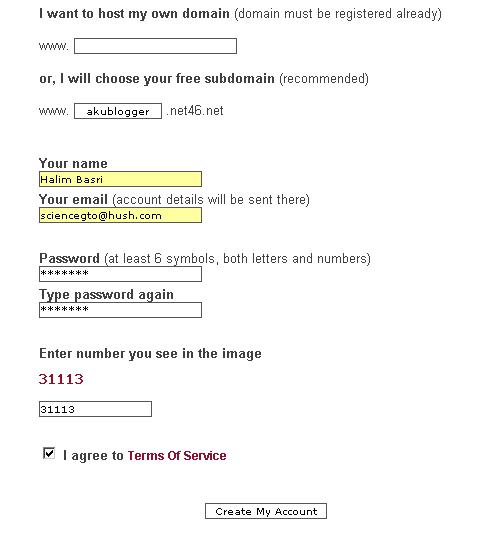
1. Put your username.
2. Put your real name.
3. Write your email for password recovery.
4. Write your password(password must contain number and letter!)
5. put the number like in the image.
6. Read the TOS and tick the small box.

After you done it will be like this image.
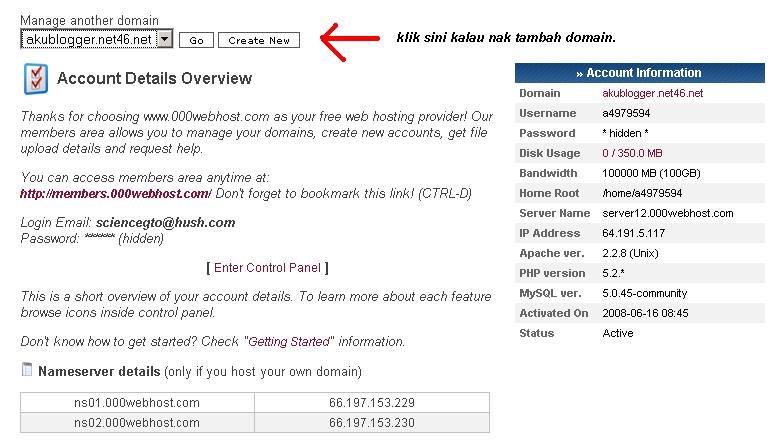
7. Then click to finish the job and you can see you account detail.
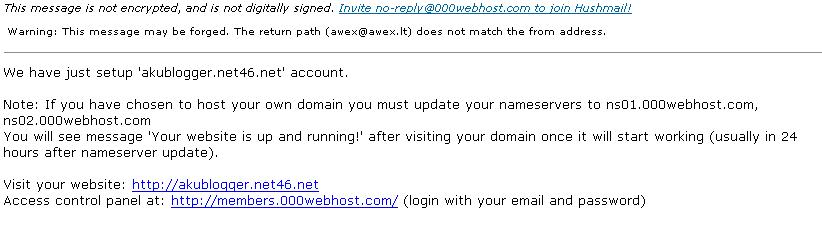
8. Don't forget to check your email too.
9.Go back to your page detail and scroll down and you will see website builder and "click more button".

10. Read the info and follow like the below image has shown.

11. Then you will see the web building page.
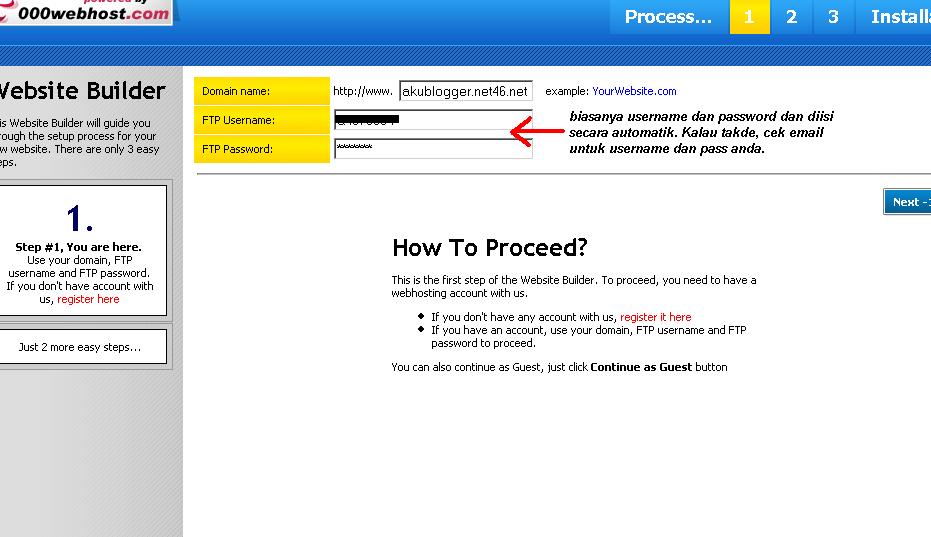
12. Now you can choose template that you like most..

13. Fill in all the information needed. Look the image to understand more.

Then you can click Go-->Install my website!
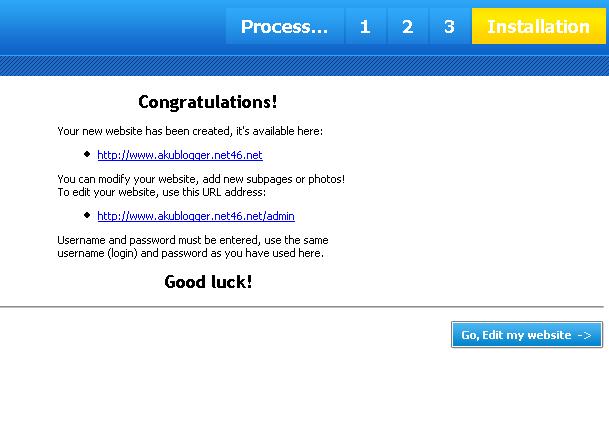
12. Congratulation! Your website has done after above page showed. Check both link, the first link will redirect you to your own website and you can see "under construction" because there is no content there. Another link is admin for edit your website.


 Posts



 Chinese
 French
 German
 Italian
 Japanese
 Korean
 Russian
 Spanish


